GST Billing
Create clear GST invoices in seconds.
Manage invoices, inventory, purchases, GST, customers, and reports — all from one beautifully designed platform.
No credit card required. Full access for 30 days.
Today's business snapshot
Sales bills
128
Stock alerts
4
Payments in
₹48,620
GST ready
✓
Every bill, balance and report in one dashboard. Screenshots below show a demo workspace with fictional data.
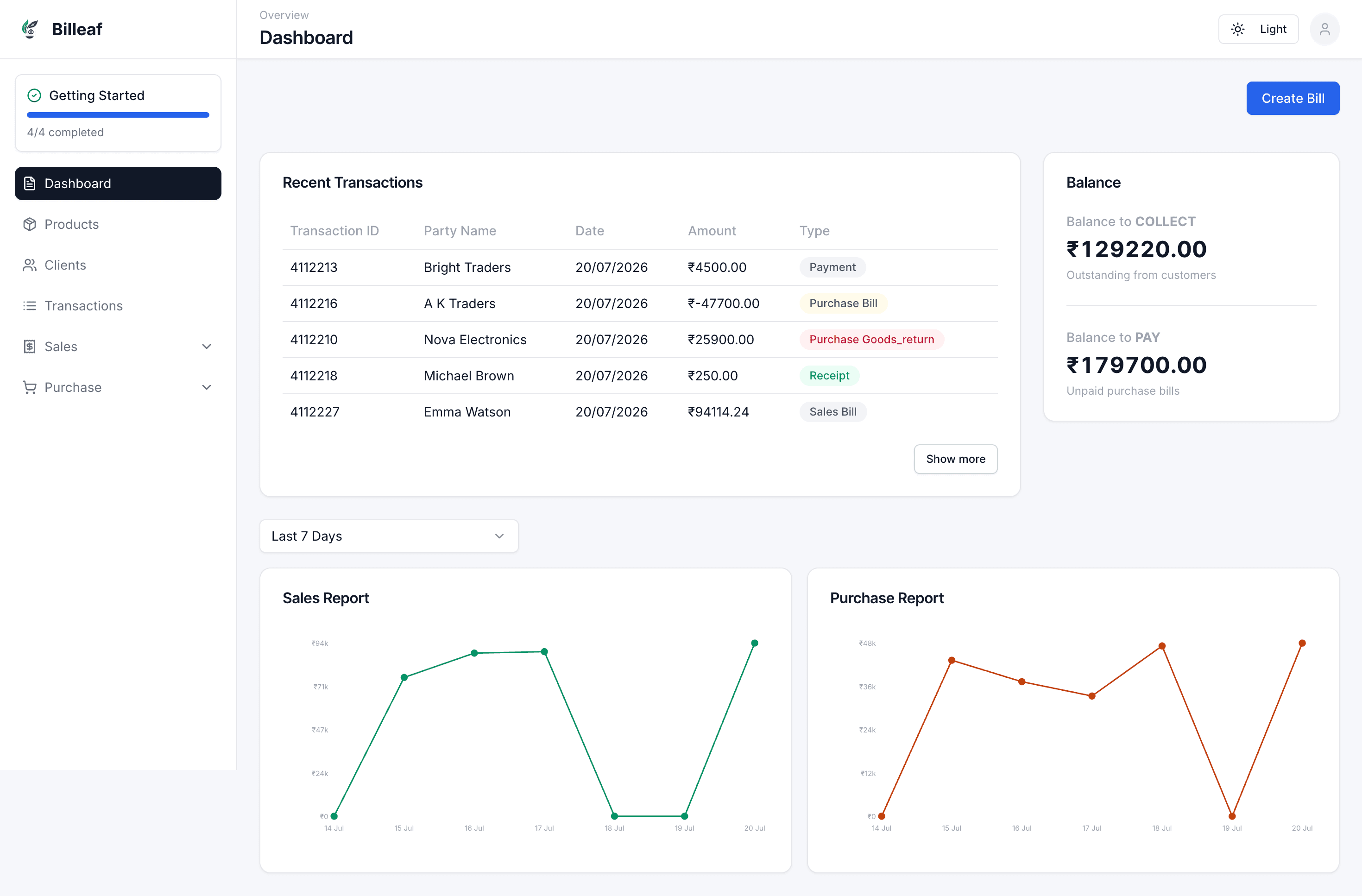
Illustrative figures from a demo workspace — your dashboard scales the same way as your business grows.
Revenue processed
Invoices generated
Products tracked
Active customers
Orders fulfilled
Built for retail shops, medical stores, hardware stores, electronics shops, wholesalers and small businesses.
Create clear GST invoices in seconds.
Track per-piece stock and product movement.
Keep sales bills organised and easy to find.
Record purchases and supplier dues in one place.
Manage customer and supplier returns with confidence.
Capture every incoming and outgoing payment.
See balances and transaction histories at a glance.
Understand sales, stock and payment activity.
Keep your business data available wherever you work.
Use Billeaf from desktop, tablet or mobile.
Your data is backed up in the cloud.
Finish bills quickly when customers are waiting.
A demo workspace, screen by screen — populated with fictional companies, customers and products so you can see the real UI safely.
No setup fee. Cancel anytime. No hidden charges.
₹149/month
30-Day Free Trial · No Credit Card Required
₹299/month
30-Day Free Trial · No Credit Card Required
₹499/month
30-Day Free Trial · No Credit Card Required
Contact Sales
30-Day Free Trial · No Credit Card Required
| Capability | Billeaf Recommended | Traditional Billing Software |
|---|---|---|
| 30-Day Free Trial | Included | May vary by provider |
| Cloud Based | Included | May vary by provider |
| Modern Web Application | Included | May vary by provider |
| Desktop, Tablet & Mobile Support | Included | May vary by provider |
| GST Billing | Included | May vary by provider |
| Inventory Management | Included | May vary by provider |
| Sales Bills | Included | May vary by provider |
| Purchase Bills | Included | May vary by provider |
| Goods Return | Included | May vary by provider |
| Payment In | Included | May vary by provider |
| Payment Out | Included | May vary by provider |
| Customer & Supplier Ledgers | Included | May vary by provider |
| Multi-user Support | Included | May vary by provider |
| Fast Cloud Sync | Included | May vary by provider |
| Secure Cloud Backup | Included | May vary by provider |
| Reports & Analytics | Included | May vary by provider |
| Regular Feature Updates | Included | May vary by provider |
| Customer Support | Included | May vary by provider |
Illustrative testimonials from a demo workspace — fictional businesses, real workflows.
“GST invoices used to take me ten minutes each. With Billeaf I close a sale and the bill is done before the customer leaves the counter.”
“Per-piece inventory tracking finally matches how we actually sell. Stock counts stopped being a monthly headache.”
“Payment in and payment out tracking gave us a clear picture of who owes what, without a separate spreadsheet.”
“We run billing from the shop tablet and check reports from my phone at night. It just works on every device.”
Sign up to get full access to Billeaf for 30 days. You can explore premium features, create unlimited bills, customers and products during your trial.
No. A credit card is not required to start your 30-day free trial.
Yes. You can cancel anytime, with no setup fee or hidden charges.
Yes. Billeaf is built to help Indian businesses create GST invoices quickly.
Contact our support team at help@billeaf.com to discuss your existing data and import options.
Billeaf uses secure cloud backup to help keep your business information available and protected.
Multi-user access is included with Professional and Business plans.
Billeaf is made for retail shops, medical stores, hardware stores, electronics shops, wholesalers and small businesses.
Not currently. Billeaf supports inventory managed as per-piece items only, not grams, kilograms, litres, millilitres or other weight- and volume-based units.
Get 30 days of full access, unlimited bills, customers and products. No credit card required.